Script
Create custom parameters and automate VParamix and VTube Studio with sandboxed Lua programs.
Script runs sandboxed Lua programs that turn live inputs into custom parameters or request supported VTube Studio actions. Use scripts for automatic motion, keyboard controls, expression logic, selectors, minigames, and other behavior that needs more than direct parameter mapping.
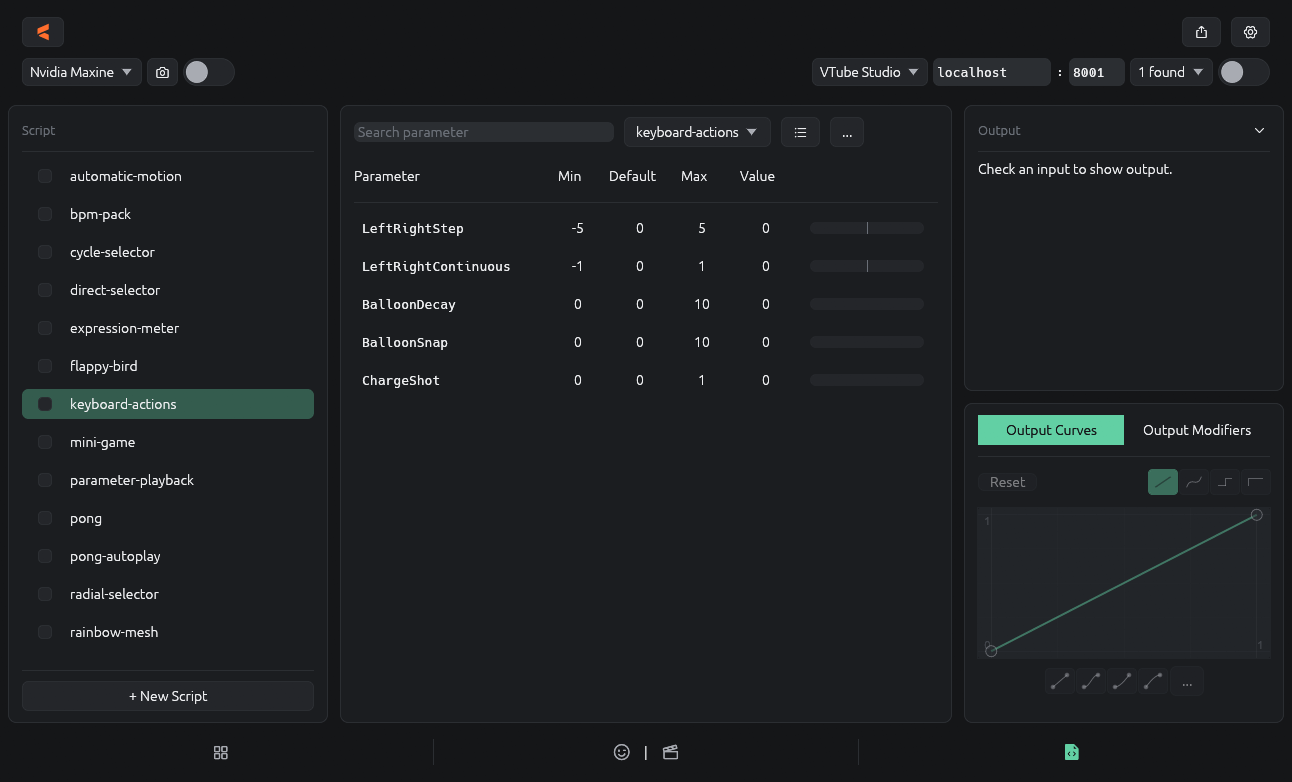
What scripts can do
- Read regular Sources and raw Face Tracking values.
- React to time, keyboard input, random values, and saved numeric state.
- Publish custom parameters for Output and connected apps.
- Trigger supported VTube Studio actions, including hotkeys, model changes, post-processing, and ArtMesh effects.
How Script works
- Open Sources → Script and select an existing script or choose + New Script.
- The Lua file declares its output parameters once and defines an
update()function. VParamix callsupdate()every Script frame. - Save the script, then select the checkbox beside its name to enable it.
- Enable the generated parameters in Output when you want to send their values to a connected app.
Enabling a script runs the program. Output checkboxes control which generated values are sent; they do not stop the script or its VTube Studio actions.
Choose a guide
Getting Started
Create, save, enable, and test your first Lua script.
Inspector
Add editable controls and source selectors beside the Lua editor.
Lua API
Reference declarations, inputs, timing, state, random values, math, and keyboard helpers.
VTube Studio API
Read VTube Studio state and request supported VTS actions.
Important behavior
- Each script runs in an isolated sandbox without direct filesystem, network, or process access.
- A successful update must write a finite value for every declared output. If setup or update fails, VParamix publishes no partial values or actions from that frame.
- Output parameter names must be unique. The editor reports collisions with built-in sources or earlier enabled scripts.
See the Lua API for the complete program contract.
Last updated on