Live2D Integration
Live2D integration documentation.
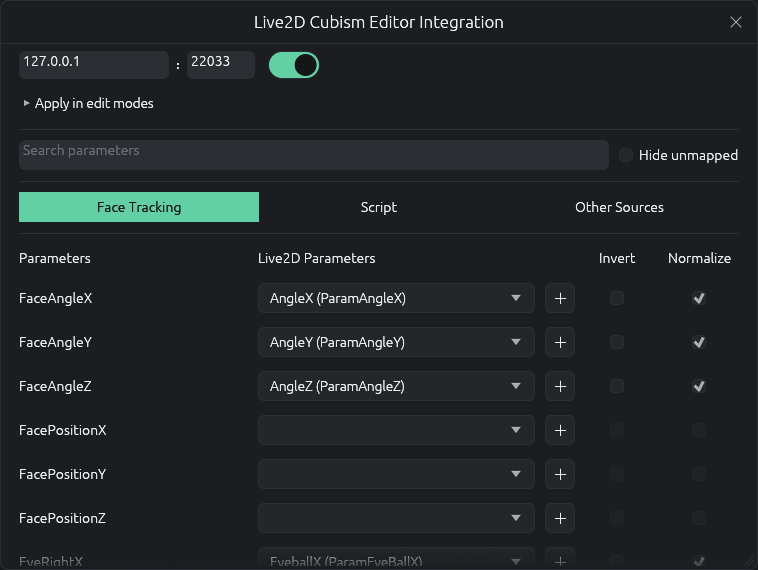
Live2D External API Connection Setup
-
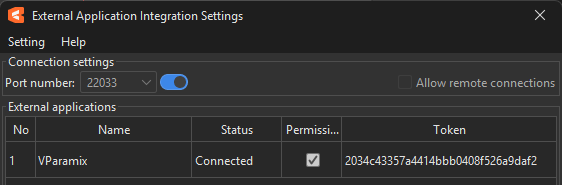
On Live2D Cubism Editor App, enable the external application integration settings.
-
Toggle the connection on the VParamix Live2D Integration windows.
-
Enable the external Api permission on the Live2D Cubism Editor.
Mapping The Parameter
- Select any parameter that need be mapped.
- Click on the dropdown to select the Live2D parameters available for current model.
Other options
Invert
- Invert the value being mapped.
Normalize
- Normalize the value to the minimum and maximum value to the coresponding Live2D parameters.
For example, TimeMilliseconds has a source range of 0 ~ 999. If the target Live2D parameter has a range of 0 ~ 1, enabling Normalize maps the source value fully to the target parameter's range.
Last updated on